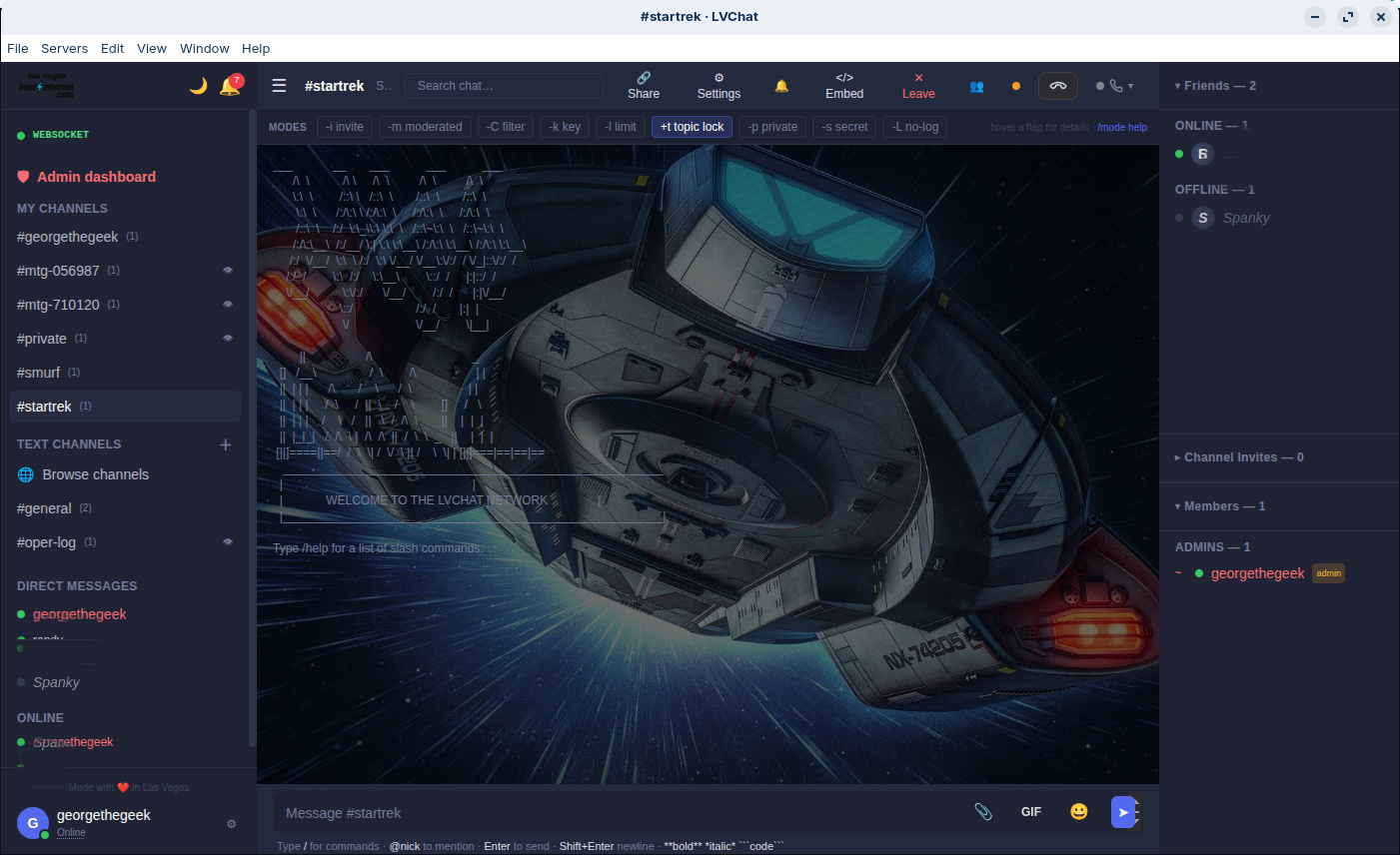
The Full Chat, Native
Everything from the web app, running as a native desktop application with OS-level integrations.
- Multi-profile: switch between accounts instantly
- OS notifications with click-to-navigate
- System tray with unread count badge
- Auto-updates: always on the latest version
- Window controls and keyboard shortcuts
- Frameless titlebar with custom drag region
Features
Why Desktop?
Native Feel
Runs as a real desktop app — not a browser tab. Custom titlebar, menu bar integration, and native window controls.
Multi-Profile
Switch between personal, work, and admin profiles without logging out. Each profile remembers its own settings.
OS Notifications
Native notifications with click-to-navigate. Works with Focus modes and Do Not Disturb on macOS and Windows.
System Tray
Minimize to tray with unread count badge. Quick-access menu for switching channels and profiles.
Auto-Updates
Seamless background updates. Never miss a security patch or new feature.
Keyboard Shortcuts
Global shortcuts for quick message, channel switching, and profile switching. Customizable keybindings.